Getting Started
Here's how to browse events, set up an account when you're ready to pay, and find your tickets later.
Browse events
- Click Tickets in the main navigation.
- Browse the list and open any event — no login required.
- Pick ticket types or seats on the event page.
You'll need an account when you click Checkout and pay. See Buying Tickets.
Create an account
- Click Register or Login in the top navigation (same page either way).
- Enter your email address and click Continue.
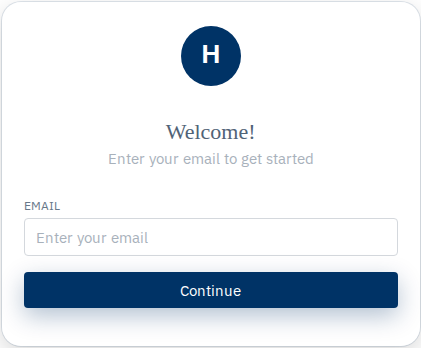
- If you're new, enter your Full Name.
- Check I agree to privacy policy & terms (required).
- Optionally check the marketing email box.
- Click Create Account.
- Open the password setup email, set your password, then go to Login and sign in.
Log in
- Click Login.
- Enter your email address and click Continue.
- Enter your password and click Sign in.
You'll land on the home page when it works. See Logging In & Out for password reset and social sign-in.
Buy tickets
- Open an event from Tickets (you can browse as a guest).
- Pick your tickets or seats.
- Click Checkout — log in or register if you aren't already.
- Pay with your card.
- After payment, you'll land on a confirmation page for your order (not a loading screen). Open My Tickets anytime to view tickets, add wallet passes, or transfer.
See Buying Tickets for the full walkthrough.
Some sites also sell season tickets, event packages, camps, or time-slot bookings. You'll see those as extra links in the nav if they're available on your site.
Your account menu
After you log in, open the account menu (your name or avatar):
- My Tickets — your orders, wallet passes, transfers
- My Account — profile, password, linked emails, order history
- Logout — sign out
You might also see My Bookings or Group Portal depending on what you've purchased or what your site offers. Inside My Account, tabs like Ticket Orders, Ticket Transfers, Camp Orders, or Rewards only show when they apply to you.
More help
If your site has other products, check the matching guide: Season Tickets & Event Packages, Bookings, Camps, or Group Portal.