
Camps
If your site lists camps, you'll find them under Camps in the main navigation.
Find a camp
- Click Camps in the main navigation.
- Browse available sessions.
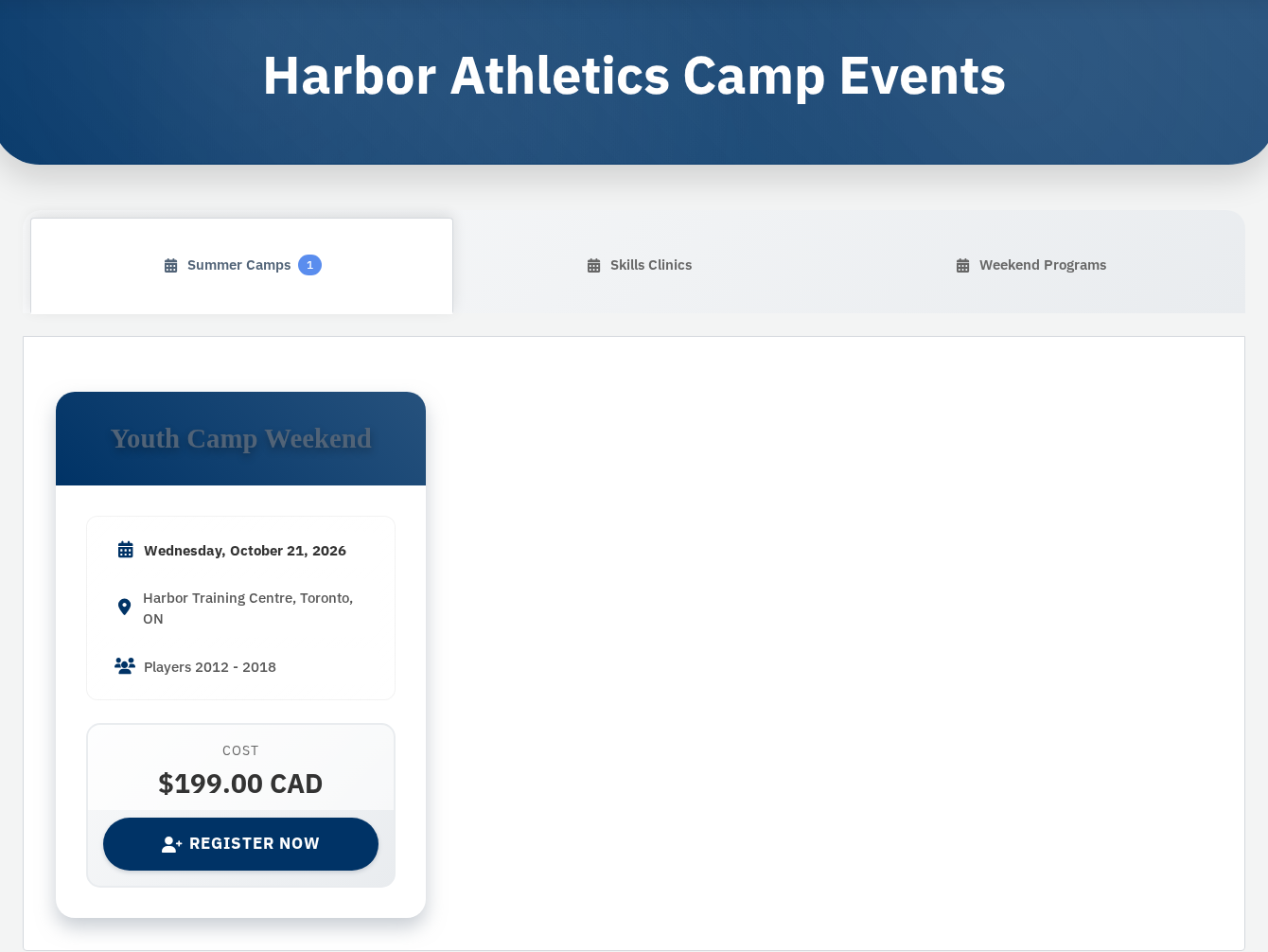
- Click a camp to open its registration form.
Register for a camp
The registration form is a multi-step wizard on the camp page:
- Fill out each section (camper details, emergency contacts, medical info, or whatever the form asks for).
- Click Continue to move to the next step.
- On the last step, review your entries.
- Click Complete Registration.
If you're not logged in, you'll be asked to log in or create an account before payment.
Promo codes (camps)
If the form has a Promo Code field:
- Enter your code and click Check (camp promos use Check, not Apply).
- Confirm the discount shows before you pay.
Pay for your registration
After Complete Registration, you'll go to payment when fees apply:
- Review the amount due.
- Complete the payment form.
- Click Pay Now.
- Wait for confirmation and check your email for a receipt.
Some camps are free — registration may finish without a separate payment step.
View camp orders
- Log in and open My Account.
- Click Camp Orders (or Orders if that's the only order tab on your site).
- Open an order for registration details and receipts.
Camp orders are separate from ticket orders under My Tickets.
If something goes wrong
The Camps link is missing.
Your site may not offer camps, or no sessions are listed yet.
Registration form won't advance.
Look for red error messages on the current step. Required fields must be filled before Continue works.
Promo code rejected.
Check spelling and that the code applies to that session. Contact the organizer if you think it should work.
Payment failed after registration.
Use the payment link from your email or contact the organizer — don't submit duplicate registrations unless they tell you to.
See Account Settings for profile updates and FAQ for refund questions.